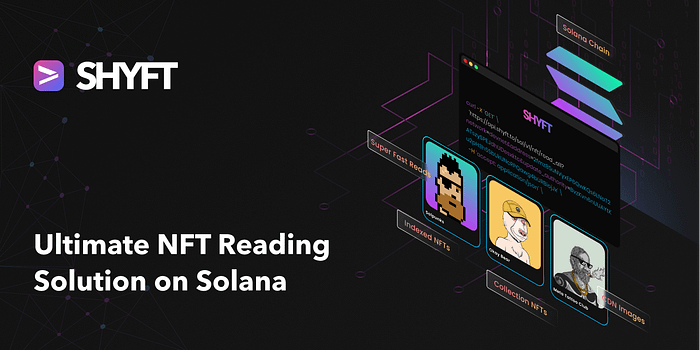
In this article, we see how SHYFT provides the best NFT reading solution on Solana.
The idea of Digital Collectibles has been around for quite a while. A good example of this can be seen in games like Pokémon, where players can own digital collectibles in the form of pets. However, the trading market of Digital Collectibles has been quite static until the emergence of Non-Fungible Tokens, or NFTs. NFTs are digital collectibles that exist on cryptographic chains known as Blockchains. After NFTs entered the Web3 Market, there has been a huge spike in the crypto-enthusiasts, both individuals and companies, who have been constantly exploring the enormous economic potential of these digital collectibles.
Owing to this, there has been explosive growth (almost 299% as predicted by fintech times) in the NFT market with developers focusing on developing countless dApps. Here lies the problem of understanding. NFTs and blockchain have just embarked on their journey and technologies are still very nascent and complex. So for someone to build enterprise-level applications on them the traditional way, it would require a lot of understanding of the methods to create and manipulate data on Blockchains. Furthermore, the dApps will be more time and resource intensive, in turn increasing the go-to-market time. This is where SHYFT APIs come in handy. SHYFT provides a set of Web3 APIs which help you build backend-free dApps on Solana without any prior Web3 Experience. This gives a huge advantage to builders, saving them time and resources.
Reading All NFTs from a wallet – The traditional way
One of the preliminary operations for building dApps on Solana is reading NFTs from a Blockchain. There is more than one way of getting NFTs from a Blockchain, using Rust or using popular Web3-based JS SDKs. Let’s see how we can get NFTs from a wallet using Metaplex’s JS SDKs.
Importing Packages
First and foremost, we have to get all the packages required to fetch NFTs from a wallet using Metaplex’s JS SDK. Metaplex provides a fantastic Javascript SDK, that contains a large set of Web3 functions. This will allow us to use all the functions required for reading all NFTs from a wallet.
const { Metaplex } = require("@metaplex-foundation/js");
const { Connection, clusterApiUrl, PublicKey } = require("@solana/web3.js");
Creating a new connection using a new key pair.
Then, we go on and create a new connection with the Solana RPC endpoint. We use the Connection class to create a new connection, which is available in the @solana/web3.js package.
const connection = new Connection(clusterApiUrl("devnet"), "confirmed"); The Connection class is used to create a new connection to a JSON RPC endpoint using the cluster URL of Solana devnet.
Creating a new Metaplex Instance
Now we go on to create a new Metaplex Instance using the connection we created in the previous step.
const metaplex = new Metaplex(connection); Getting NFTs from a particular wallet using Wallet Address
In the final step, we attempt to fetch all the NFTs from one particular wallet.
const owner = new PublicKey("B6CxZxad7JLKE5QvQo3D6Pc3qox3UyhRy5bu97HgKN9N");
const allNFTS = await metaplex.nfts().findAllByOwner({owner}); console.log(allNFTS);
The Response
The response returned after executing all the above steps will look somewhat like this.
[
  {
    model: 'metadata',
    address: Pda {
      _bn: <BN: 3a2814bdb91fa8f495958e9082bada385a75ef949dbfe1698330528f51ad96ec>,
      bump: 255
    },
    mintAddress: PublicKey {
      _bn: <BN: cf7ff01ce20984465323553e3e2d0bf8005552b30eb407f831b92df8ad57fda2>
    },
    updateAuthorityAddress: PublicKey {
      _bn: <BN: 6727c9b23d9cf06444aa5edba8db67a820b876de225164928ac04cc0faa5ffde>
    },
    json: null,
    jsonLoaded: false,
    name: 'Mush',
    symbol: 'MSH',
    uri: '<https://nftstorage.link/ipfs/bafkreiaa5cqudua3xfl4b4vzv35eamqevj4u7porjhljx367eqv42ujlhi>',
    isMutable: true,
    primarySaleHappened: false,
    sellerFeeBasisPoints: 200,
    editionNonce: 254,
    creators: [ [Object] ],
    tokenStandard: 0,
    collection: null,
    collectionDetails: null,
    uses: null
  },
  {
    model: 'metadata',
    address: Pda {
      _bn: <BN: 8161fa7210da2146a3ca674583db8e75e9757b9765200f7106c888197f762e0f>,
      bump: 255
    },
    mintAddress: PublicKey {
      _bn: <BN: 5ce47dbb64d7bbf8960954a67f1acb4633004bdb07eac39b76711f4a27de2ac8>
    },
    updateAuthorityAddress: PublicKey {
      _bn: <BN: f7d3bde7d37b75b51bef69a65aae81972d327c0f5ee36b5030e70b5b51c3ab5e>
    },
    json: null,
    jsonLoaded: false,
    name: 'Valetudo',
    symbol: 'VL2',
    uri: '<https://nftstorage.link/ipfs/bafkreie6t4ohc47nabn2tpfbmi2sysqbrlk5w7s6aw7tukemnq2ustkieu>',
    isMutable: false,
    primarySaleHappened: false,
    sellerFeeBasisPoints: 500,
    editionNonce: 253,
    creators: [ [Object] ],
    tokenStandard: 3,
    collection: null,
    collectionDetails: null,
    uses: null
  }
]
Fetching the metadata
We see an array of NFT data being returned as the response in the previous step. Even though this data is returned in the easily-parsable JSON format, this data is not complete. We see a uri being returned as a field in the response, and it contains all the metadata related to the NFT. We have to perform a fetch call on this uri in order to get the complete metadata information of the NFT. The metadata fetched looks somewhat like this.
{
  "name": "Valetudo",
  "symbol": "VL2",
  "description": "Valetudo is a planet in the SHYFT solar system. It was discovered by a team of shyfters working hard providing services. There are  a lot of planets such as Minter, Tokenizer, Walloter, Destroyer, Metamine which revolve around the central star, which is known as SHYFT solar. Valetudo is an important part of the SHYFT solar system.",
  "seller_fee_basis_points": 500,
  "external_url": "<https://shyft.to>",
  "image": "<https://nftstorage.link/ipfs/bafkreieedgffh2eutizkvskt7j2z5yihosgp2jdreadxdquwi4yn4o2lqy>",
  "attributes": [
    {
      "id": "5",
      "trait_type": "gravity",
      "value": "98"
    },
    {
      "id": "97",
      "trait_type": "size",
      "value": "99"
    },
    {
      "id": "68",
      "trait_type": "rotate",
      "value": "28"
    }
  ],
  "properties": {
    "creators": [
      {
        "address": "HgQy5bqJd3GcjqakukhfMpqSjF7jEYxGiqAqh4QtTuHF",
        "verified": true,
        "share": 100
      }
    ]
  }
}
Here are the key takes of using this method to read all NFTs.
- Two subsequent API calls, one for getting the NFT, and then one more API call for getting the metadata are required to fetch the complete information about the NFT. These steps require a lot of time.
- The time taken further increases, when we go on to fetch the metadata of each NFT received in the array in a one-by-one manner.
- NFT metadata and images are stored in large distributed databases such as IPFS, which have large access times. So, fetching NFT images and metadata by this method is pretty slow and can slow down the application which is built around it.
- The steps performed may look pretty simple, but someone who is new to Web3 and blockchains, may not know the exact steps required in order to execute the complete process. He or she may also have to go through a lot of documentation before even they start the initial steps.
- Apart from the methods being time-consuming, the response returned are not always provide data in the proper format. For instance, the mint address returned in the response is in the raw string format and needs to be converted to the base58 format before it can be used as a parameter or displayed somewhere in the UI.
As we see, there are a few limitations to using the previous method for getting NFTs and metadata from a wallet. So, for building real-time applications with a smooth and lag-free User experience, we have to add a few layers of processing before and after performing the steps. For example, the slow loading time of metadata can be minimized by adding a caching layer that stores the NFT data in some fast accessible server. CDNs can be used to deliver images. But these steps are also quite resource-intensive and will not yield desirable results unless performed efficiently. This is where SHYFT steps in. Now let’s see how we can get NFT data using SHYFT APIs.
Getting NFT data using SHYFT APIs
SHYFT provides a set of Web3 APIs for various operations on Solana including NFTs, Fungible Tokens, Wallets, Marketplace, and many more, which allow users to build dApps without any prior Web3 experience. Most APIs require one API call to be successfully executed by the Solana Runtime for performing any particular operation on the Blockchain.
Read the SHYFT API Documentation here.
Let’s see how we can read NFTs from a wallet using SHYFT API. The API Endpoint for reading all NFTs from a Wallet:
GET <https://api.shyft.to/sol/v1/nft/read_all?network=${NETWORK}&address=${WALLET_ID}>This API accepts the x-api-key in the header, which is an authorization parameter used by SHYFT. You can get your own API key from the SHYFT website for free here. The two parameters required for this API call are:
network: Accepts devnet, testnet or mainnet-beta.address: Accepts the wallet address of the user whose NFTs we are attempting to fetch.
There are a few optional parameters for this API call, however, they are not necessary in our case right now. For more details about the parameters of this API endpoint, please refer to our dev guide here.
This is the one and only step required for getting NFTs from a wallet using SHYFT APIs. Here is a sample response structure.
{
  "success": true,
  "message": "Your all NFTs",
  "result": [
    {
      "name": "MRnft",
      "symbol": "QRNFT",
      "royalty": 20,
      "image_uri": "<https://nftstorage.link/ipfs/bafkreiclqyvz2zokfbrdcjv7j43fzcfh2nze4n6nro4n76xobfzy4w4naa>",
      "cached_image_uri": "<https://nftstorage.link/ipfs/bafkreiclqyvz2zokfbrdcjv7j43fzcfh2nze4n6nro4n76xobfzy4w4naa>",
      "metadata_uri": "<https://nftstorage.link/ipfs/bafkreig3eeamwuupdjnlufa4ld24bh2x2apshvk46xrfooysa5k3ygkdfa>",
      "description": "generated by QRaftNFT",
      "update_authority": "BvzKvn6nUUAYtKu2pH3h5SbUkUNcRPQawg4bURBiojJx",
      "attributes": {
        "speed": 100,
        "aggression": "crazy",
        "energy": "very high"
      },
      "attributes_array": [
        {
          "trait_type": "speed",
          "value": 100
        },
        {
          "trait_type": "aggression",
          "value": "crazy"
        },
        {
          "trait_type": "energy",
          "value": "very high"
        }
      ],
      "external_url": "<https://shyft.to>",
      "mint": "2EAMbzr6NKsmzBvoL8cAyndAPPFJgKH8VUrvPdTb9C1J",
      "owner": "BvzKvn6nUUAYtKu2pH3h5SbUkUNcRPQawg4bURBiojJx",
      "creators": [
        {
          "address": "J2tQNi4CSusmUs6pvfP26jbXe75DBbTJD8w4pTNyUWMs",
          "verified": 1,
          "share": 100
        }
      ]
    },
    {
      "name": "Shyft Founders",
      "symbol": "SF",
      "royalty": 5,
      "image_uri": "<https://nftstorage.link/ipfs/bafkreifmnberecudicu36bjwobhh4x57oacmt4z4qq6ulyyb4jwpdmr6de>",
      "cached_image_uri": "<https://nftstorage.link/ipfs/bafkreifmnberecudicu36bjwobhh4x57oacmt4z4qq6ulyyb4jwpdmr6de>",
      "metadata_uri": "<https://nftstorage.link/ipfs/bafkreiaquw56wi35rggsh3jefna6gnfuuxnwqgp4jilzahbqla2y6ui7la>",
      "description": "some description",
      "update_authority": "BvzKvn6nUUAYtKu2pH3h5SbUkUNcRPQawg4bURBiojJx",
      "attributes": {
        "attack": 200,
        "aggression": "ok",
        "energy": "over 900"
      },
      .... //response shortened for blog
      "external_url": "",
      "mint": "5dqRZ7nGBFpU7yc4ZycvfSapzbHwwENxSF967rg5y9b9",
      "owner": "BvzKvn6nUUAYtKu2pH3h5SbUkUNcRPQawg4bURBiojJx",
      .... //response shortened for blog
    }
  ]
}
This response is preformatted and also returns the NFT image and the metadata attached by default. No subsequent fetches are required, and the API has a lightning-fast response time of under 100ms.
Conclusion
There are multiple ways of getting NFTs on Solana, but most of them require extensive knowledge of Web3 and Blockchain before even trying to implement preliminary functions. Someone, who has very little to no knowledge about the Solana blockchain, will have to go through a lot of documentation before starting to build. Also, it has been seen in some cases, operations take a lot of time, which tends to slow down the applications build around it. This is where SHYFT gains its advantage. SHYFT provides a comprehensive set of Web3 APIs which includes a set of robust NFT APIs that do not require any prior Web3 Experience. Furthermore, these APIs provide lightning-fast response times, with an added advantage of a maintenance-free backend for you to create a smooth User Experience with almost zero downtime.
Here are a few noticeable points on why should one prefer using SHYFT APIs over Traditional NFT APIs.
- Lightning-fast reads and caching layer: We have seen some of the Web3 operations involving off-chain metadata fetches are quite slow, and take up a lot of time to execute. However, this is not the case with SHYFT APIs. SHYFT APIs have very low response times, with average response times lesser than 100ms. This is because they have an efficient data caching policy. All the off-chain data related to NFTs are cached and stored in a database, which helps them serve requests much faster.
- CDNs to load images: Metadata and NFT images are not always stored on the blockchain, instead, they are stored in Distributed databases such as the IPFS Storage. These distributed databases store a large amount of data and images stored here have substantial loading times. SHYFT bridges this gap with the help of a powerful Content Delivery Network. SHYFT uses a powerful CDN to deliver images with minimal load time. Owing to the presence of an efficient data caching layer and CDNs, Applications built using SHYFT APIs automatically have a smooth User Experience.
- No prior Web3 Experience required: SHYFT APIs are extremely easy to use and require no prior Web3 Experience. All operations require simple API calls and are very easy to integrate with all types of Applications.
- Maintenance-free backend: You can build Applications that do not require a backend using SHYFT APIs. SHYFT uses private RPC nodes which guarantee almost 100% uptime, and the response returned using SHYFT APIs are preformatted and require no further processing.
Excited to start building dApps using SHYFT? Grab your own API key here, and start building.
Read the SHYFT API Documentation here.
That’s pretty much everything about this article, where we see why SHYFT APIs have quite the upper hand when it comes to building dApps on Solana. Feel free to check out our dev guides on building an NFT marketplace using SHYFT APIs or creating a new NFT with SHYFT APIs. We hope you have a great time building dApps with SHYFT APIs. Happy Hacking!
Resources
Join our Discord